Free desktop utility

Put every window exactly where it belongs.

Build your own snap layouts, choose the overlay order, and drag a window into place. SoLoScreenSnap stays local, runs quietly in the background, and costs nothing.

  • MIT licensed
  • No account
  • No telemetry
  • Local settings
SoLoScreenSnap dashboard showing a three-column snap layout and system readiness
Drag to an edgeThe overlay follows the active screen.
Drop on a zoneThe same window moves into place.
01Make the layout yours

Split, resize, name, duplicate, order, show, and hide layouts.

02Keep the workflow moving

Run in the background and reopen from the tray, menu bar, or shortcut.

03Know what stays private

Window data, layout settings, and diagnostics remain on your computer.

How it works

Three moves. One calmer desktop.

SoLoScreenSnap is designed around the way people already organize work: decide on the spaces, drag the window, and keep going.

  1. 01

    Build the zones you need.

    Start from an included layout or create your own. Split zones side by side or stacked, resize them directly, and set exact percentages when precision matters.

  2. 02

    Choose what the overlay shows.

    Drag layouts into the right order, hide the ones you do not use, and select the active layout. Up to six layouts stay within reach.

  3. 03

    Drag, preview, and drop.

    Move a window to the top, left, or right edge. The overlay changes orientation with you, highlights the target, and snaps the window when you release.

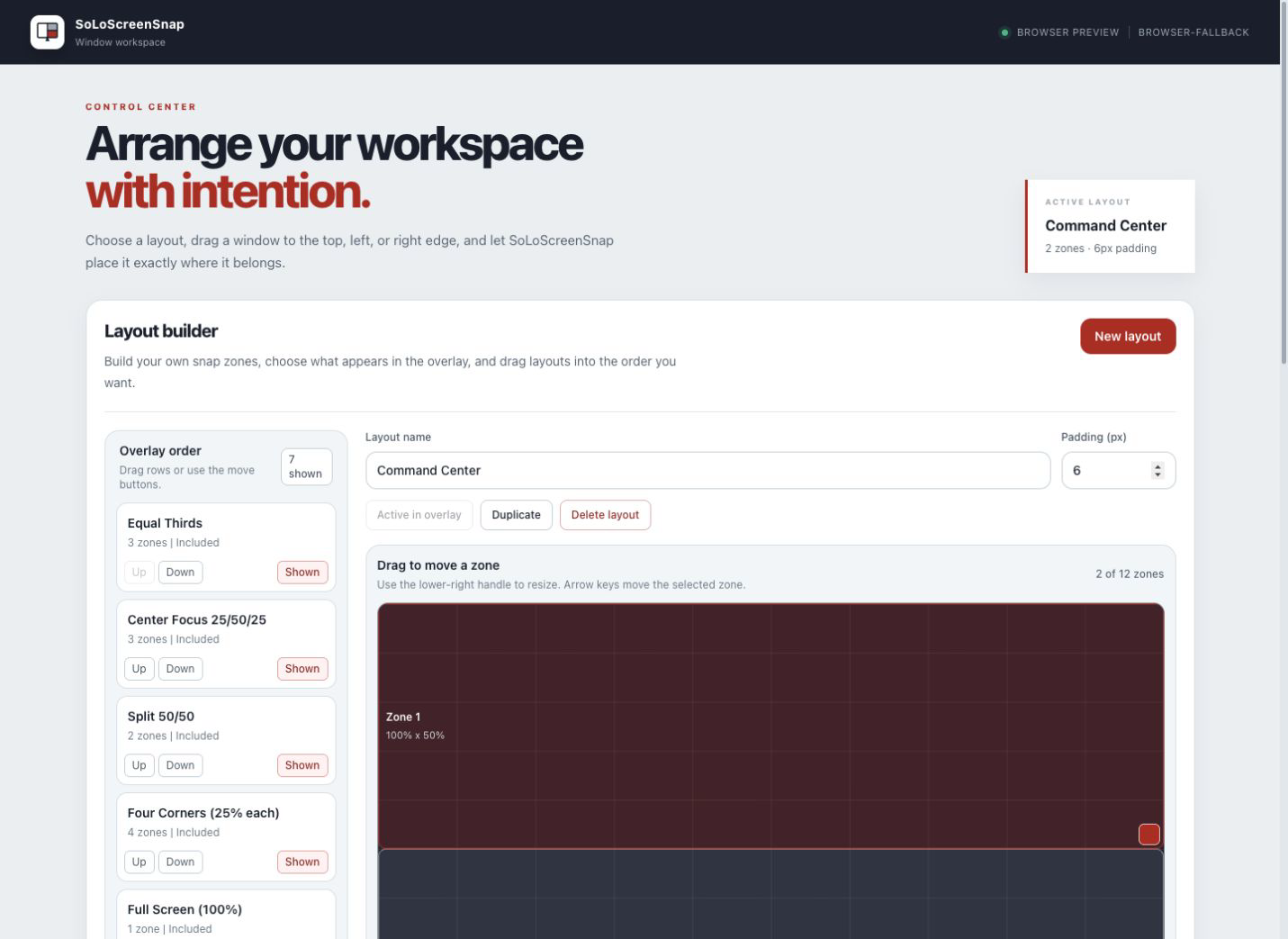
Layout builder

Your screen is not one-size-fits-all.

Wide monitor, laptop, portrait display, or a screen shared during a call: each can use a different layout. The builder gives you direct control without turning window management into a design project.

Direct manipulation
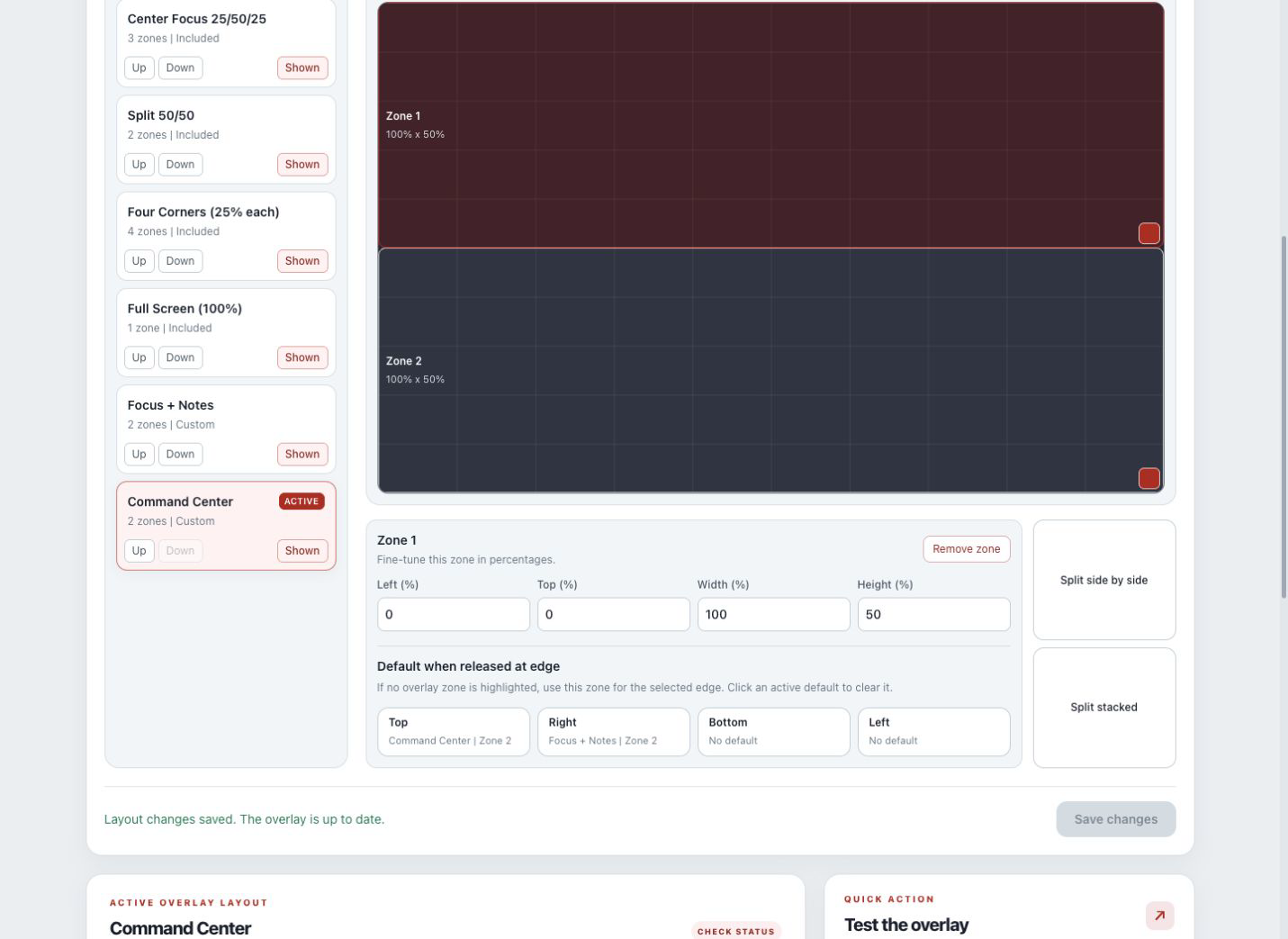
Drag a zone or use its lower-right handle to resize.
Precise geometry
Set x, y, width, height, and padding with percentages.
Overlay control
Reorder layouts and decide which ones appear.
Safe editing
Duplicate included layouts before changing them.
SoLoScreenSnap layout builder with ordered layouts and editable snap zones
The current layout builder. No mock data or concept UI.

Verified downloads

Free on every supported desktop.

Checking the public release manifest...

macOS

macOS 12 or later. Apple silicon is the first supported architecture.

Checking availability
Unavailable

Windows

Windows 10 or 11. x64 is the first verified release architecture.

Checking availability
Unavailable

Linux

X11 with wmctrl and xdotool. Wayland runs in limited mode.

Checking availability
Unavailable

Every published file is verified. Release entries include the exact version, architecture, package size, and SHA-256 checksum.

ChecksumsRelease notes

Platform reality

Native where it matters. Honest where it differs.

One interface does not mean every operating system works the same way. SoLoScreenSnap keeps native behavior behind platform adapters and explains the limitations instead of hiding them.

Windows 10/11Window movement, shortcuts, and drag overlaySupported
macOS 12+Accessibility permission, plus Screen Recording for thumbnailsSupported
Linux X11wmctrl and xdotool requiredSupported
Linux WaylandGeneral third-party window movement is not exposedLimited

Local by design

Your workspace is not our data source.

SoLoScreenSnap does not require an account and does not include analytics or telemetry. It reads the local window information needed to arrange your desktop. Layouts and a bounded diagnostic log stay in the app's local data folder.

Free means free

Use every feature. Donate only if you want to.

There are no paid tiers, trials, or locked layouts. Optional contributions help cover signing, hosting, hardware testing, and future development.

Common questions

Know before you install.

Is SoLoScreenSnap really free?

Yes. The desktop app is free to use and MIT licensed. Donations are optional and do not unlock product features.

Why does macOS ask for Accessibility permission?

macOS requires Accessibility access before an app can move or resize windows owned by other applications. Screen Recording is only needed for window thumbnails.

Does it work with more than one monitor?

The app discovers displays and uses the active screen when positioning overlays and zones. Each platform still needs installed-artifact testing across scaling and monitor arrangements before a release is labeled verified.

What happens when an app has a minimum window size?

SoLoScreenSnap keeps the operating system's enforced size, places the window as close to the chosen zone as possible, and reports a constrained fit.

How do I quit if it runs in the background?

Choose Quit SoLoScreenSnap from the tray or menu-bar menu. Closing the main window intentionally keeps snapping and shortcuts active.

One less reason to rearrange the same desktop twice.

Build the layout once. Snap into it whenever you need it.

View downloads